
Platform
Virtual Machines
Click Launch and a whole computer boots inside your browser tab — a real Linux kernel, a real distro, a real shell, running natively on your CPU as WebAssembly. No download, no install, no remote server billing you by the minute. The tab is the machine.
A real machine, not a demo
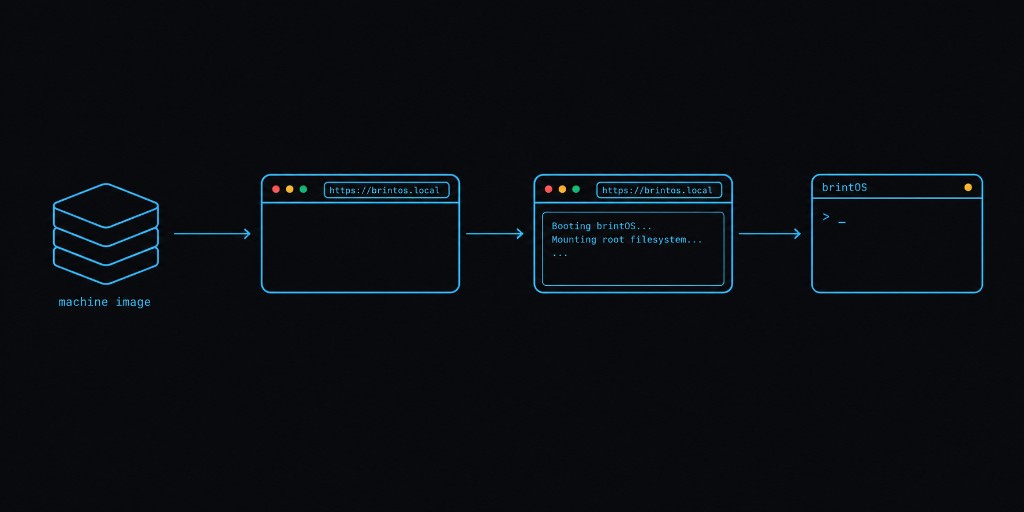
Every brintOS virtual machine boots from a machine image repo: a full root filesystem, versioned like a source repository. Press Launch and the tab pulls the kernel, mounts your snapshot, and starts PID 1. udev settles, bash prints a prompt, and your dotfiles are exactly where you committed them. Close the tab and reopen it three days later — the machine resumes from its persisted disk state, dirty blocks and all.
This is not an x86 emulator running a disk image through an interpreter loop, and it is not a
terminal proxied to a server somewhere. We ported Linux to a new arch/wasm32 architecture, so the kernel and every binary execute natively in your
browser's WebAssembly engine — your CPU, your RAM, your hardware. Here's how that works.
Pick your distro
- Wabuntu. Ubuntu, recompiled for the web — yes,
the name is exactly what you think it is. The flagship distro, with an apt-compatible package
repository at
rep.wabuntu.ioserving wasm-native builds of Ubuntu's most-used packages. - Debian. The universal operating system, now universal enough to run in a tab. Stable, boring, wonderful.
- Fedora. Fresh packages and
dnf, for people who like their userland a release ahead. - Alpine. The natural fit — Alpine is already musl-based, which is exactly what
our wasm32 userspace runs. Tiny images, instant boots,
apkas you know it. - Arch. A rolling release in a browser tab. You get to say "I use Arch, btw" without even rebooting your laptop.
- BusyBox. The minimal option: one binary, a few megabytes, a shell in well under a second. Perfect as a base image for embedded-style builds.
- Android. Not just Linux distros — a full Android system boots in the tab too, for app testing and automation without an emulator install or a device farm.
Every distro is a machine image repo you can fork and back up. Start from ours, save a snapshot of your changes, and share the URL — anyone who opens it gets your machine, booted to the same state.
Your real hardware, reachable
The browser's hardware APIs are wired straight into the kernel through HardwareJS, so devices show up the way Linux expects them to:
- USB. Plug in a device, grant the browser's permission prompt, and it appears
on the machine's USB bus —
lsusblists it, the kernel binds a driver, and tools talk to it like on any Linux box. Flash a microcontroller, talk to a serial adapter, drive a security key — from a tab. - Serial, audio, MIDI, and HID. The same pattern: the browser's device APIs
become kernel device backends, and userspace sees ordinary
/devnodes. - Local folders. Mount a directory from your real filesystem into the machine through the File System Access API — edit in your native editor, build in the VM, with no sync step and no upload. Available on Chrome and Firefox.
Networking: free where the browser allows, full when you need it
Out of the box — free, no sign-up — every machine gets the networking the browser sandbox can
support: DNS resolution, plus HTTP and HTTPS file downloads routed through your own tab. That
covers the big ones: apt update, git clone https://…, pip install, curl a tarball.
When you need more than downloads, Network-as-a-service gives the
kernel a real virtual NIC: raw sockets, UDP, ICMP, and listening ports with a public address. ping works, ssh works in both directions, and nc -l 8080 is reachable from the open internet — while the browser's own sandbox stays intact.
Storage that follows the machine
A machine's disk is a content-addressed snapshot streamed lazily from our storage tier — a 50 GB rootfs "mounts" in milliseconds because blocks are fetched only when the kernel reads them, then cached in your browser for the rest of the session and beyond. Snapshots and forks work like a repo, so rolling a machine back is a checkout, not a restore job.
What people use them for
- Onboarding and education. Send a URL instead of a setup document. Every student or new hire gets an identical, working environment in seconds.
- Reproducible builds and demos. The machine that worked on your laptop is bit-for-bit the machine that works in the meeting.
- Embedded and hardware work. USB and serial from a tab means flashing and debugging boards on a locked-down corporate laptop with no drivers to install.
- Trying a distro. Arch-curious? Open a tab. Close it when you're done. Nothing on your computer changed.
Launch one now
Browse public machine images or build your own. Launching public machines is free — no account required to try one. See pricing for private machines, more storage, and the full network.